
في هذه المقالة ، سنلقي نظرة على ستة عوامل دمج مفيدة. سنفعل ذلك بأمثلة ، وتجريب كل واحدة في Xcode Playground.
شفرة المصدر متاحة في نهاية المقال.
حسنًا ، دون مزيد من اللغط ، فلنبدأ.
1. سابقة التجهيز
تسمح لنا هذه المجموعة من العبارات بإضافة أحداث (سابقة) أو قيم أو ناشرين آخرين إلى ناشرنا الأصلي:
import Foundation
import Combine

var subscriptions = Set<AnyCancellable>()

func prependOutputExample() {
    let stringPublisher = ["World!"].publisher

    stringPublisher
        .prepend("Hello")
        .sink(receiveValue: { print($0) })
        .store(in: &subscriptions)
}
النتيجة:
Helloو World! يتم إخراجها بترتيب تسلسلي: لنضيف
الآن ناشرًا آخر من نفس النوع:
func prependPublisherExample() {
    let subject = PassthroughSubject<String, Never>()
    let stringPublisher = ["Break things!"].publisher

    stringPublisher
        .prepend(subject)
        .sink(receiveValue: { print($0) })
        .store(in: &subscriptions)

    subject.send("Run code")
    subject.send(completion: .finished)
}
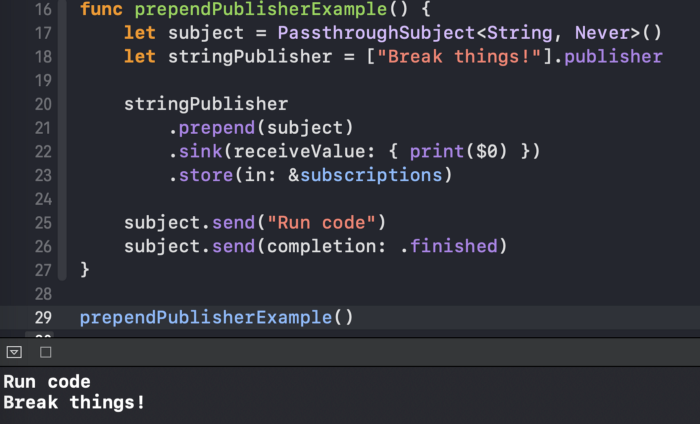
النتيجة مشابهة للنتيجة السابقة (لاحظ أننا بحاجة إلى إرسال حدث
.finishedإلى الموضوع حتى .prependيعمل المشغل ):
2. إلحاق
عامل التشغيل
.append(حرفيا "إضافة إلى النهاية") يعمل بالمثل .prepend، ولكن في هذه الحالة نضيف قيمًا إلى الناشر الأصلي:
func appendOutputExample() {
    let stringPublisher = ["Hello"].publisher

    stringPublisher
        .append("World!")
        .sink(receiveValue: { print($0) })
        .store(in: &subscriptions)
}
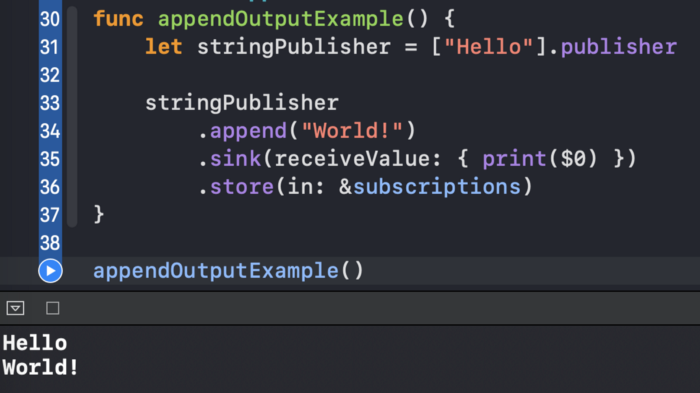
نتيجة لذلك ، نرى
Helloو World! خرج إلى وحدة التحكم: على
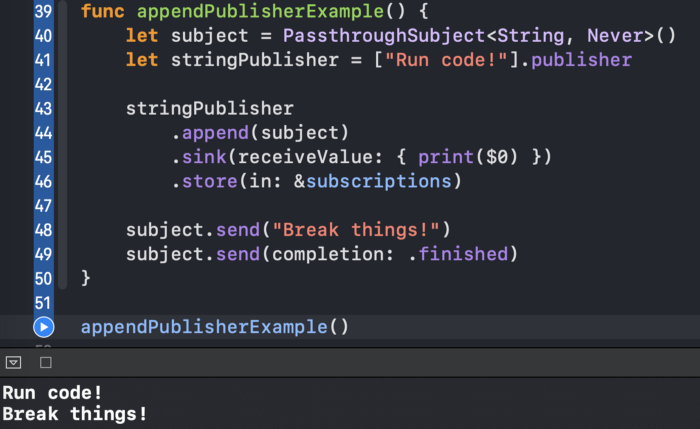
غرار ما استخدمناه سابقًا
.prependلإضافة Publishera آخر ، لدينا أيضًا هذا الخيار للمشغل .append:
3. التبديل إلى أحدث
.switchToLatestيسمح لنا
عامل أكثر تعقيدًا بدمج سلسلة من الناشرين في تدفق واحد من الأحداث:
func switchToLatestExample() {
    let stringSubject1 = PassthroughSubject<String, Never>()
    let stringSubject2 = PassthroughSubject<String, Never>()
    let stringSubject3 = PassthroughSubject<String, Never>()

    let subjects = PassthroughSubject<PassthroughSubject<String, Never>, Never>()

    subjects
        .switchToLatest()
        .sink(receiveValue: { print($0) })
        .store(in: &subscriptions)

    subjects.send(stringSubject1)

    stringSubject1.send("A")

    subjects.send(stringSubject2)

    stringSubject1.send("B") //

    stringSubject2.send("C")
    stringSubject2.send("D")

    subjects.send(stringSubject3)

    stringSubject2.send("E") //
    stringSubject2.send("F") //

    stringSubject3.send("G")

    stringSubject3.send(completion: .finished)
}
إليك ما يحدث في الكود:
- نقوم بإنشاء ثلاثة كائنات
PassthroughSubjectسنرسل إليها القيم. - نقوم بإنشاء كائن رئيسي
PassthroughSubjectيرسل كائنات أخرىPassthroughSubject. - نحن نشحن
stringSubject1إلى الموضوع الرئيسي. stringSubject1يحصل على القيمة أ.- نرسل
stringSubject2إلى الموضوع الرئيسي ، ونتجاهل أحداث stringSubject1 تلقائيًا. - وبالمثل، نرسل القيم
stringSubject2، الاتصال،stringSubject3وإيفاد الحدث الانتهاء إليها.
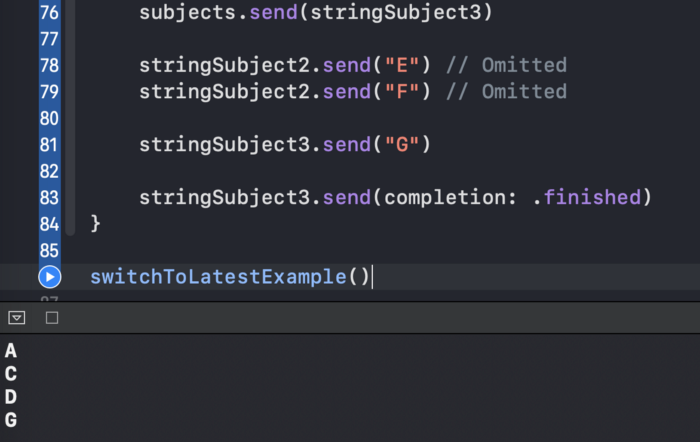
والنتيجة هي الانتاج
A، C، Dو G:
عن البساطة، وظيفة
isAvailableبإرجاع قيمة عشوائية Boolبعد بعض التأخير.
func switchToLatestExample2() {
    func isAvailable(query: String) -> Future<Bool, Never> {
        return Future { promise in
            DispatchQueue.main.asyncAfter(deadline: .now() + 2) {
                promise(.success(Bool.random()))
            }
        }
    }

    let searchSubject = PassthroughSubject<String, Never>()

    searchSubject
        .print("subject")
        .map { isAvailable(query: $0) }
        .print("search")
        .switchToLatest()
        .sink(receiveValue: { print($0) })
        .store(in: &subscriptions)

    searchSubject.send("Query 1")
    DispatchQueue.main.asyncAfter(deadline: .now() + 1) {
        searchSubject.send( "Query 2")
    }
}
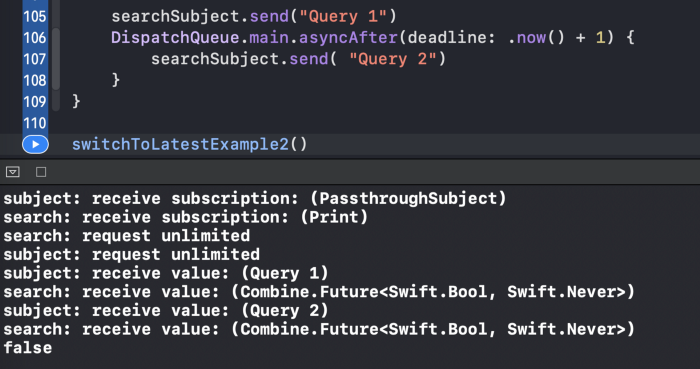
بفضل المشغل ،
.switchToLatestنحقق ما نريد. سيتم عرض قيمة منطقية واحدة فقط:
4.دمج (مع :)
نستخدمها
.merge(with:)لدمج اثنين Publisherss كما لو كنا نحصل على قيم من واحدة فقط:
func mergeWithExample() {
    let stringSubject1 = PassthroughSubject<String, Never>()
    let stringSubject2 = PassthroughSubject<String, Never>()

    stringSubject1
        .merge(with: stringSubject2)
        .sink(receiveValue: { print($0) })
        .store(in: &subscriptions)

    stringSubject1.send("A")

    stringSubject2.send("B")

    stringSubject2.send("C")

    stringSubject1.send("D")
}
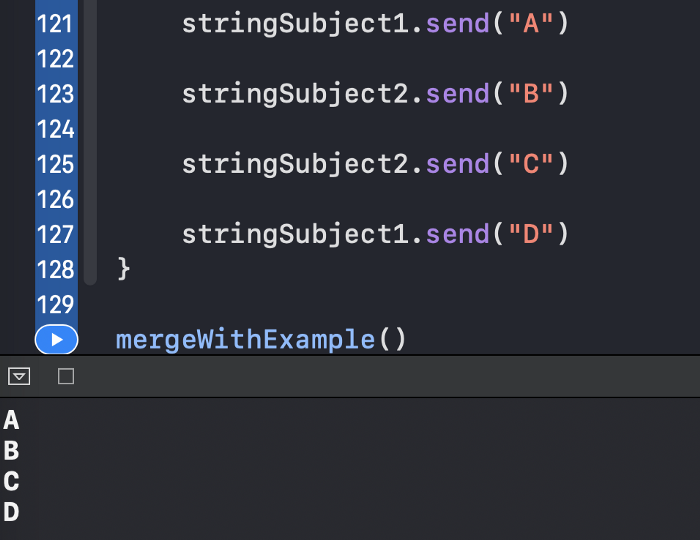
والنتيجة هي تسلسل متعاقب للعناصر:
5.combine أحدث
.combineLatestينشر
المشغل مجموعة تحتوي على أحدث قيمة لكل ناشر.
لتوضيح ذلك ، ضع في اعتبارك المثال الواقعي التالي: لدينا اسم مستخدم وكلمة مرور
UITextFieldsوزر متابعة. نريد أن نبقي الزر معطلاً حتى يصل اسم المستخدم إلى خمسة أحرف على الأقل وتكون كلمة المرور ثمانية أحرف على الأقل. يمكننا تحقيق ذلك بسهولة باستخدام المشغل .combineLatest:
func combineLatestExample() {
    let usernameTextField = CurrentValueSubject<String, Never>("")
    let passwordTextField = CurrentValueSubject<String, Never>("")

    let isButtonEnabled = CurrentValueSubject<Bool, Never>(false)

    usernameTextField
        .combineLatest(passwordTextField)
        .handleEvents(receiveOutput: { (username, password) in
            print("Username: \(username), password: \(password)")
            let isSatisfied = username.count >= 5 && password.count >= 8
            isButtonEnabled.send(isSatisfied)
        })
        .sink(receiveValue: { _ in })
        .store(in: &subscriptions)

    isButtonEnabled
        .sink { print("isButtonEnabled: \($0)") }
        .store(in: &subscriptions)

    usernameTextField.send("user")
    usernameTextField.send("user12")

    passwordTextField.send("12")
    passwordTextField.send("12345678")
}
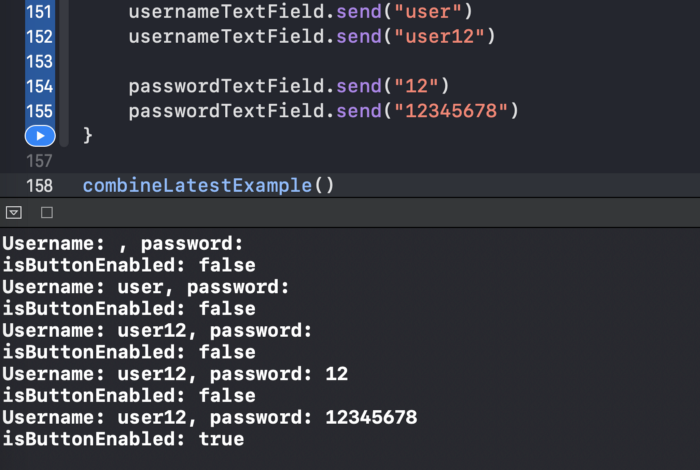
مرة واحدة
usernameTextField و passwordTextFieldاستقبال user12، و 12345678تبعا لذلك، اقتنعت الشرط، ويتم تنشيط الزر:
6.zip
.zipيسلم
المشغل زوجًا من القيم المطابقة من كل ناشر. لنفترض أننا نريد تحديد ما إذا كان كلا الناشرين قد نشرا نفس القيمة Int:
func zipExample() {
    let intSubject1 = PassthroughSubject<Int, Never>()
    let intSubject2 = PassthroughSubject<Int, Never>()

    let foundIdenticalPairSubject = PassthroughSubject<Bool, Never>()

    intSubject1
        .zip(intSubject2)
        .handleEvents(receiveOutput: { (value1, value2) in
            print("value1: \(value1), value2: \(value2)")
            let isIdentical = value1 == value2
            foundIdenticalPairSubject.send(isIdentical)
        })
        .sink(receiveValue: { _ in })
        .store(in: &subscriptions)

    foundIdenticalPairSubject
        .sink(receiveValue: { print("is identical: \($0)") })
        .store(in: &subscriptions)

    intSubject1.send(0)
    intSubject1.send(1)

    intSubject2.send(4)

    intSubject1.send(6)
    intSubject2.send(1)
    intSubject2.send(7)

    intSubject2.send(9) //  ,
}
لدينا القيم المقابلة التالية من
intSubject1و intSubject2:
- 0 و 4
- 1 و 1
- 6 و 7
9لم يتم عرض
القيمة الأخيرة لأن intSubject1القيمة المقابلة لم يتم نشرها بعد:

مصادر
شفرة المصدر متاحة على Gist .
خاتمة
هل أنت مهتم بأنواع أخرى من عوامل الجمع؟ لا تتردد في زيارة مقالاتي الأخرى: