عشية بدء دورة " Python QA Engineer " ، تم إعداد ترجمة لمواد مفيدة لطلاب المستقبل وجميع المهتمين بموضوع الاختبار.
ندعوك أيضًا لمشاهدة درس تجريبي حول موضوع "ضمان الجودة الوظيفي".
هناك الكثير من الجدل في مجتمع الاختبار حول عدد التأكيدات التي يجب أن تكون في اختبار واجهة مستخدم آلي واحد. يعتقد بعض الناس أنه يجب أن يكون هناك تأكيد واحد لكل اختبار ، أي أن كل اختبار يجب أن يتحقق من عنصر واحد فقط. يسعد آخرون أن اختبارهم يتحقق من عدة عناصر في وقت واحد.
بغض النظر عن النهج الذي تختاره ، أعتقد أنه من الآمن القول إن الاختبارات يجب أن تظل واضحة وموجزة وقابلة للقراءة وبالطبع يجب أن تكون سهلة الصيانة. أنا شخصياً ليس لدي أي مشاكل مع التأكيدات المتعددة في اختبار واحد ، لأنني أركز على مجال وظيفي واحد.
على سبيل المثال ، لنأخذ نموذج التسجيل:
كجزء من اختبار نموذج تسجيل المستخدم ، قد أرغب في اختبار عدة أشياء في وقت واحد. ربما أريد التحقق من أن الرسالة - تهانينا على التسجيل معروضة بشكل صحيح ، أو ربما أتحقق من إعادة توجيه المستخدم إلى صفحة تسجيل الدخول بعد التسجيل.
في مثل هذه الحالة ، لن أتحقق من أن المستخدم يمكنه تسجيل الدخول بنجاح وترك ذلك لاختبار آخر.
مشكلة
assert Python , . . , . , , , assert- .
-. , , , , , , assert.
: Pytest-check
Pytest-check ( ) – Pytest, assert- pass/fail. , 3 assert- fail, Pytest-check 2. , , fail.
Python OpenSDK TestProject Pytest, pytest Selenium, TestProject. HowQA, .
, Pytest-check.
Selenium
. : https://docket-test.herokuapp.com/register
import selenium.webdriver as webdriver
from selenium.webdriver.common.by import By
def test_register_user():
# Arrange
url = "https://docket-test.herokuapp.com/register"
# set the driver instance
driver = webdriver.Chrome()
# browse to the endpoint
driver.get(url)
# maximise the window
driver.maximize_window()
# Act
# Complete registration form
# enter username value
driver.find_element(By.ID, "username").send_keys("Ryan")
# enter email value
driver.find_element(By.ID, "email").send_keys("Test@email.com")
# enter password value
driver.find_element(By.ID, "password").send_keys("12345")
# enter repeat password value
driver.find_element(By.ID, "password2").send_keys("12345")
# click register button
driver.find_element(By.ID, "submit").click()
, . assert:
# Assert
# confirm registration has been successful
# check if congratulations message contains the correct text
message = driver.find_element(By.XPATH, "/html[1]/body[1]/div[1]/div[1]/div[1]/div[1]/form[1]/div[1]").text
assert message == "Congratulations, you are now registered"
# check user is routed to login page
current_url = driver.current_url
assert current_url == "https://docket-test.herokuapp.com/login"
, :
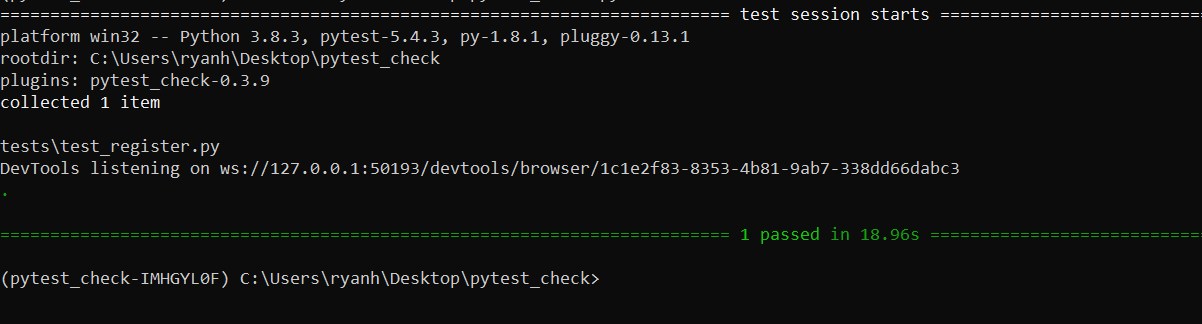
, , assert- fail? , , :
# Assert
# confirm registration has been successful
# check if congratulations message contains the correct text
message = driver.find_element(By.XPATH, "/html[1]/body[1]/div[1]/div[1]/div[1]/div[1]/form[1]/div[1]").text
assert message == "Well done, You've Registered"
# check user is routed to login page
current_url = driver.current_url
assert current_url == "https://docket-test.herokuapp.com/register"
driver.quit()
, , URL, , , fail:
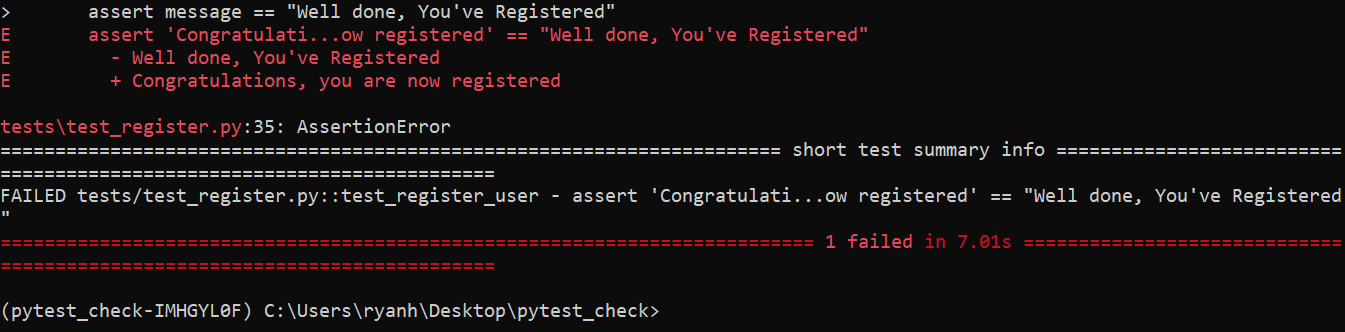
, assert. , , , , - …
, - , URL . , fail, . . .
«Congratulations, you are now registered», :
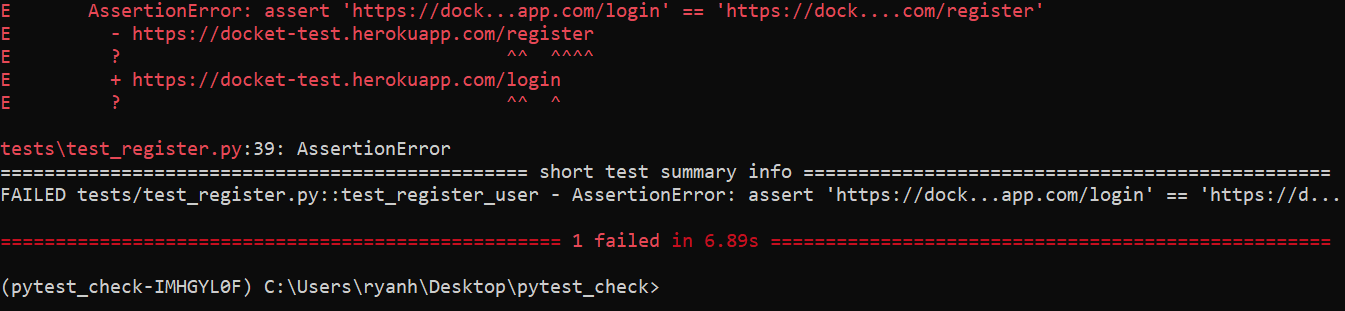
! , - URL.
, , , . , , Pytest-check.
Pytest-Check
pytest-check pip install pytest-check
. pytest-check, .
import pytest_check as check
, , assert-. assert, pytest-check .
check.equal
, :
check.equal(message, "Congratulations, you are now registered1")
URL-, , check.is_in
.
check.is_in("login", current_url)
:
import selenium.webdriver as webdriver
from selenium.webdriver.common.by import By
import pytest_check as check
def test_register_user():
# Arrange
url = "https://docket-test.herokuapp.com/register"
# set the driver instance
driver = webdriver.Chrome()
# browse to the endpoint
driver.get(url)
# maximise the window
driver.maximize_window()
# Act
# Complete registration form
# enter username value
driver.find_element(By.ID, "username").send_keys("Ryan8")
# enter email value
driver.find_element(By.ID, "email").send_keys("Test@email8.com")
# enter password value
driver.find_element(By.ID, "password").send_keys("12345")
# enter repeat password value
driver.find_element(By.ID, "password2").send_keys("12345")
# click register button
driver.find_element(By.ID, "submit").click()
# Assert
# confirm registration has been successful
# check if congratulations message contains the correct text
message = driver.find_element(By.XPATH, "/html[1]/body[1]/div[1]/div[1]/div[1]/div[1]/form[1]/div[1]").text
check.equal(message, "Congratulations, you are now registered")
# check user is routed to login page
current_url = driver.current_url
check.is_in("login", current_url)
driver.quit()
, . .
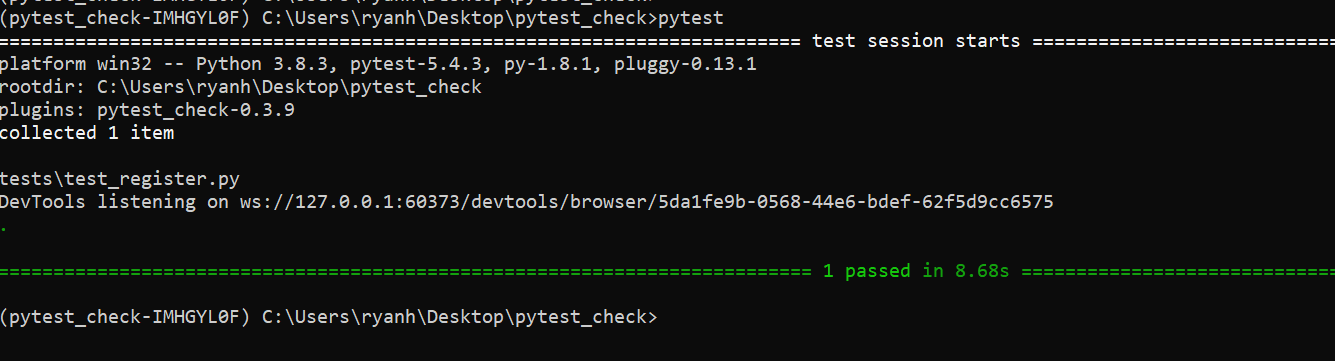
! , , fail. , :
# check if congratulations message contains the correct text
message = driver.find_element(By.XPATH, "/html[1]/body[1]/div[1]/div[1]/div[1]/div[1]/form[1]/div[1]").text
check.equal(message, "Congratulations, you are now registered!")
# check user is routed to login page
current_url = driver.current_url
check.is_in("1", current_url)
.
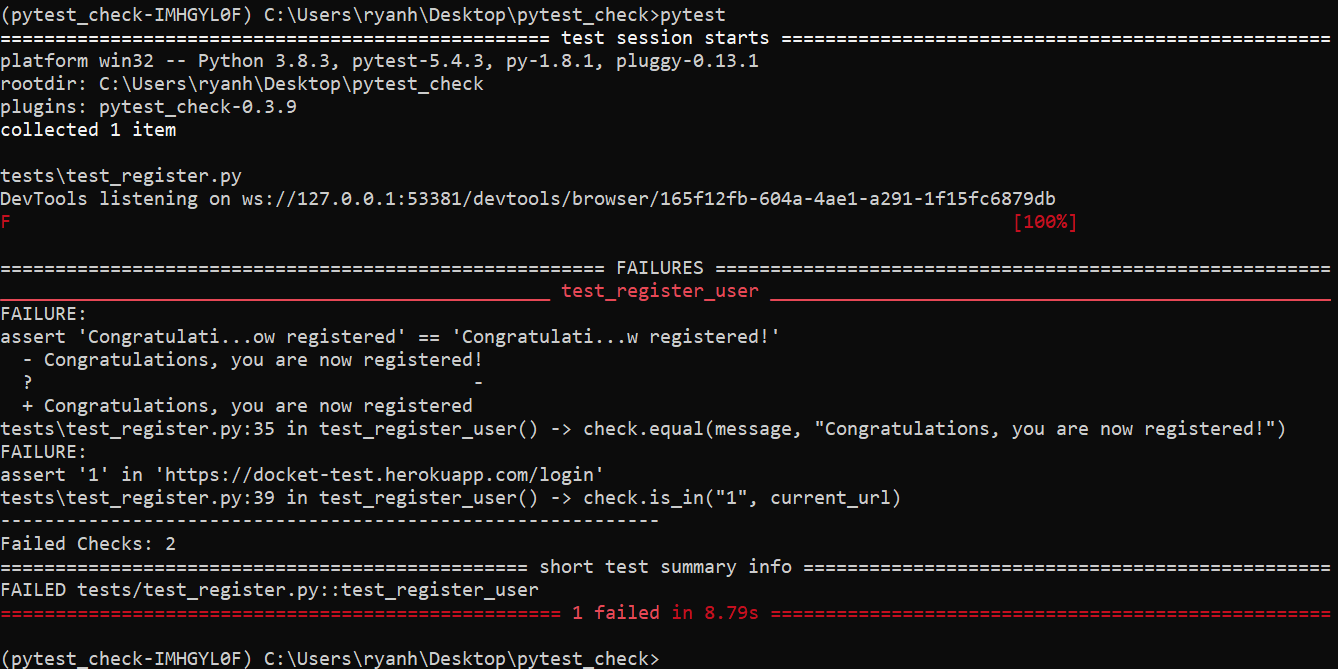
, , , , fail : , , URL. pytest, , - , fail.
, pass.
- - " QA".